WeChat Mini Program User Guide
This guide covers the Life WeChat Mini Program. The mini program differs slightly from the web app guide: it focuses on quick logging and reviewing on the go; the full feature set (including charts and chat mode) lives on the web app.
The mini program interface is in Chinese - key on-screen terms are kept in Chinese (in parentheses) so you can find them.
Quick Start
1. Open and go
Search for "CCL.AI记账" in WeChat or scan its code to open. You are signed in automatically - no registration step, just start logging.
2. Bind your phone number (recommended)
Tap "Go Bind" (去绑定) on the home banner, or "Bind to view your history" on the "Me" (我的) tab. Enter your phone number, request an SMS code, and confirm. Once bound, you can view all history under that phone account from any device, and records made on this WeChat account are merged into it.
Binding is permanent
After binding, the WeChat account stays linked to that phone account and cannot be unbound. If your WeChat is lost or retired, you can take over the account on a new WeChat with your phone number's SMS code - all data is restored (see the FAQ at the bottom). You can also use Life without binding - you just won't see your history if you switch devices.
How to Use
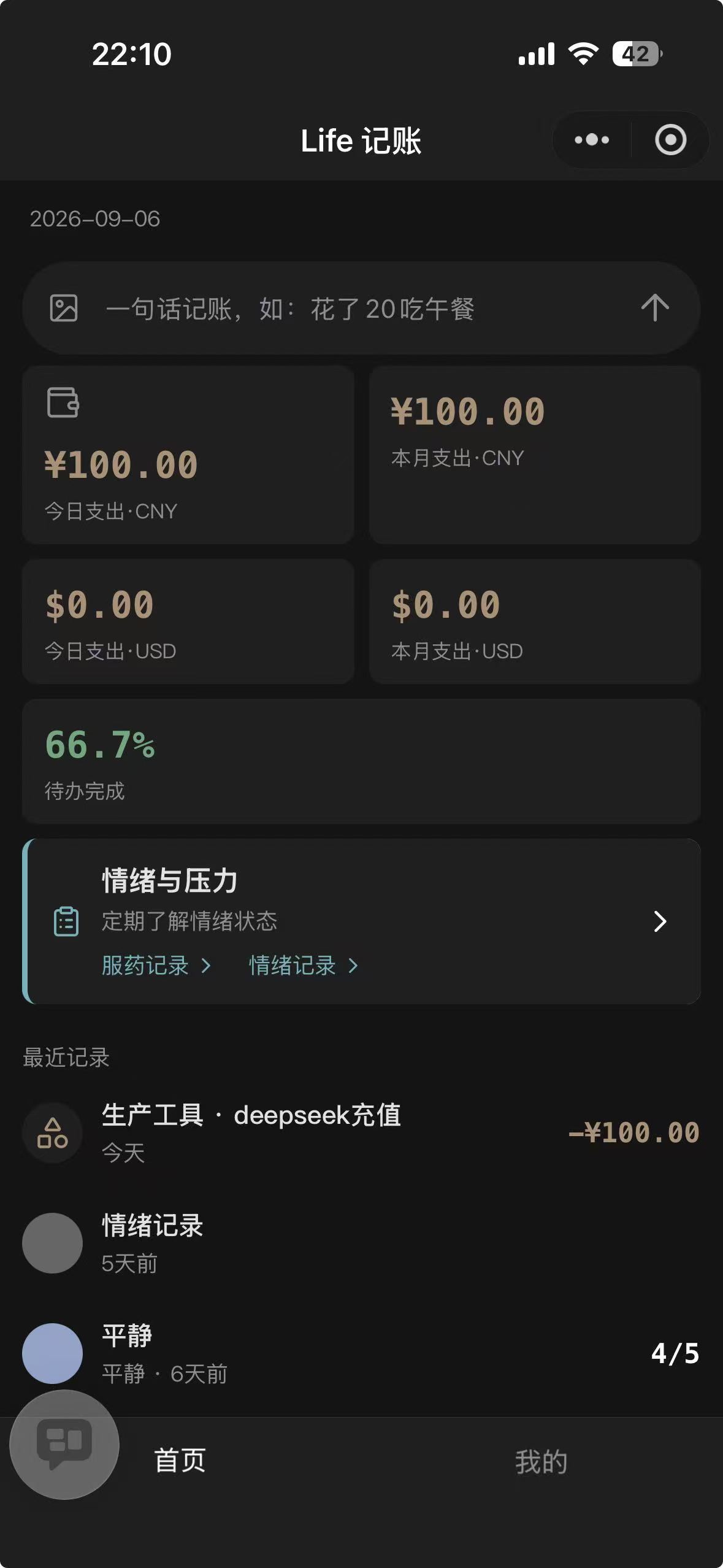
Log with one sentence
Type in the home input box as if sending a message:
| What you want | What to type (Chinese example) |
|---|---|
| Log an expense | 花了20吃午餐 ("spent 20 on lunch") |
| Check your spending | 这个月花了多少 ("how much this month?") |
| Fix / remove | 删掉昨天的咖啡 ("delete yesterday's coffee") |
| Log a mood | 今天有点累 ("feeling a bit tired today") |
| Log medication | 今天早上吃了药 ("took my meds this morning") |
| Log lending | 借出100 ("lent out 100") |
Every write goes through a confirmation card, so it's safe to just say it:
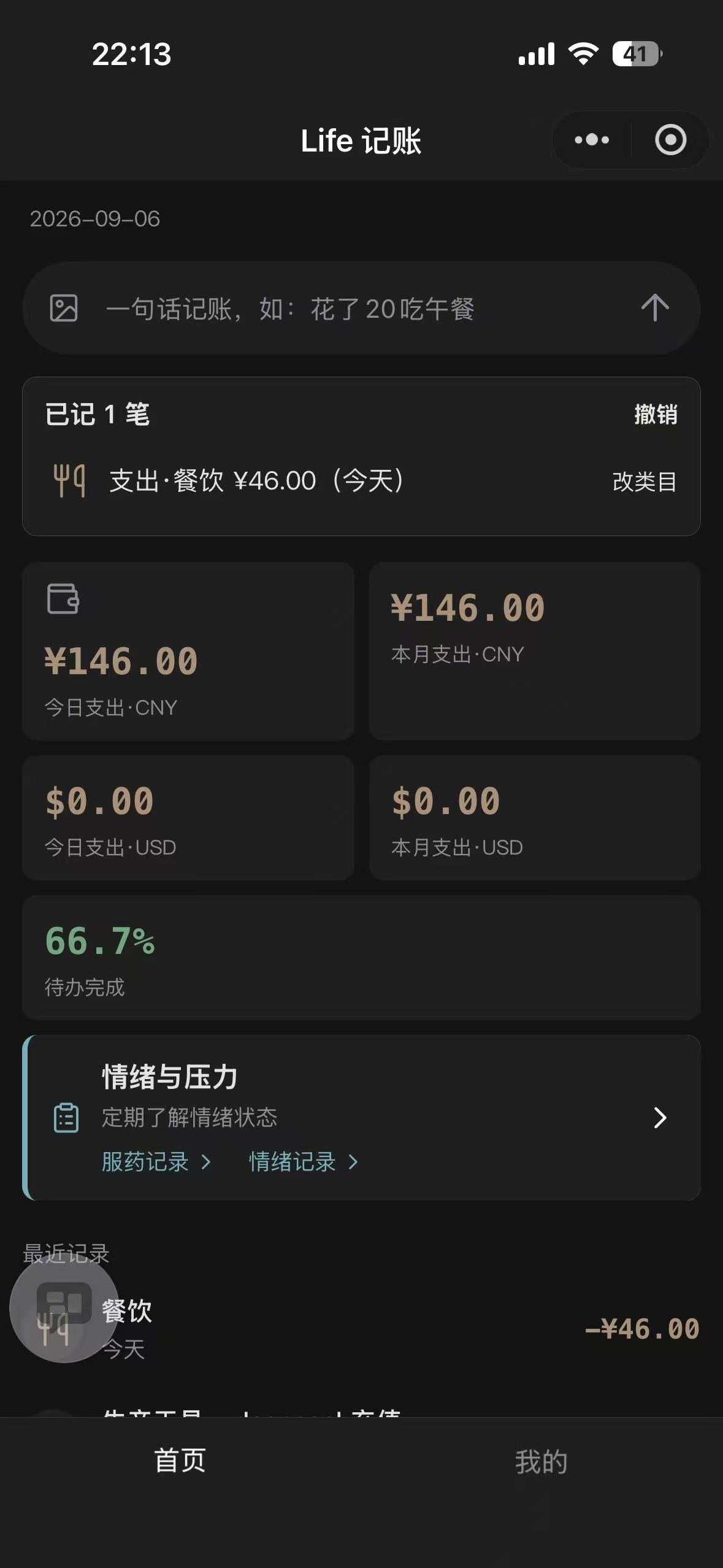
- Logged: shows "已记 N 笔" (N entries logged) - tap Undo (撤销), or Change category (改类目) to fix it right there
- Update / delete: matching records are listed; tap "Confirm update / Confirm delete" per record to take effect
- Not found: add a hint below the card, e.g. "是昨天那笔" ("the one from yesterday"), to relocate it
- Not recognized: try a more specific sentence (include time, amount, or the item)
Type "吃饭46" ("meal 46") and the result card shows what was recognized instantly - nothing is saved before you confirm, and you can undo or change the category anytime:
Batch-log from a photo
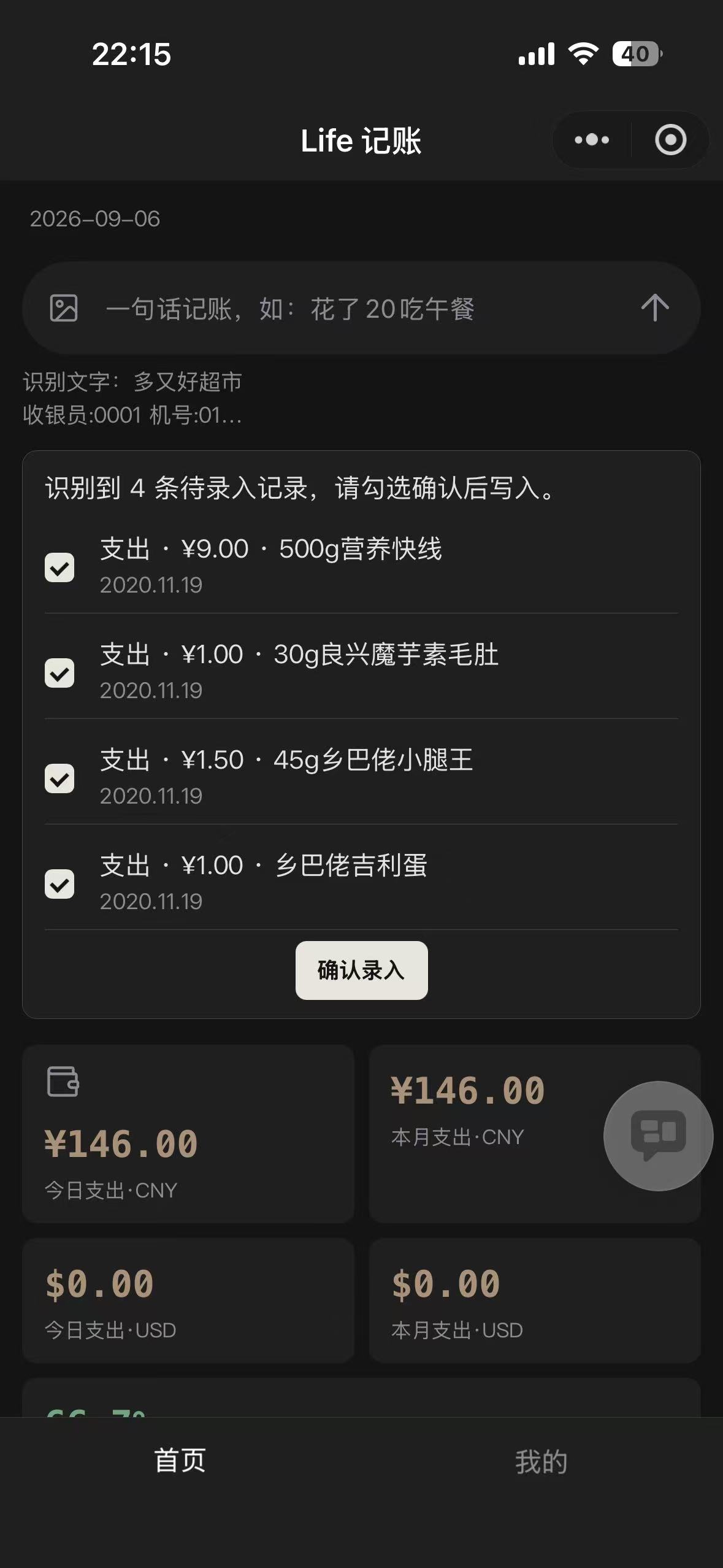
Photo logging in three steps
- Tap the camera icon to the left of the input box; take a photo or pick one from the album
- Life reads the text in the image (tap "识别文字" to see it) and lists the entries it found
- Uncheck anything you don't want, then tap "Confirm" (确认录入) to save the rest in one go
Shoot one clear receipt at a time. Non-accounting, non-health images are rejected with a hint - just log those with a sentence instead.
Dashboard and records
The home dashboard shows today's / this month's expenses, to-do completion, and recent records (multi-currency shown per currency); tap a card to open its records. There are 8 record types: expenses, mood, to-dos, medication, check-ups, lending, transfers, and balance adjustments; the first 5 can be filtered by this month / last 3 months / last 6 months / all (本月 / 近3月 / 近6月 / 全部).
Mood and stress self-checks
- Open the "Mood & Stress" (情绪与压力) card on the home page
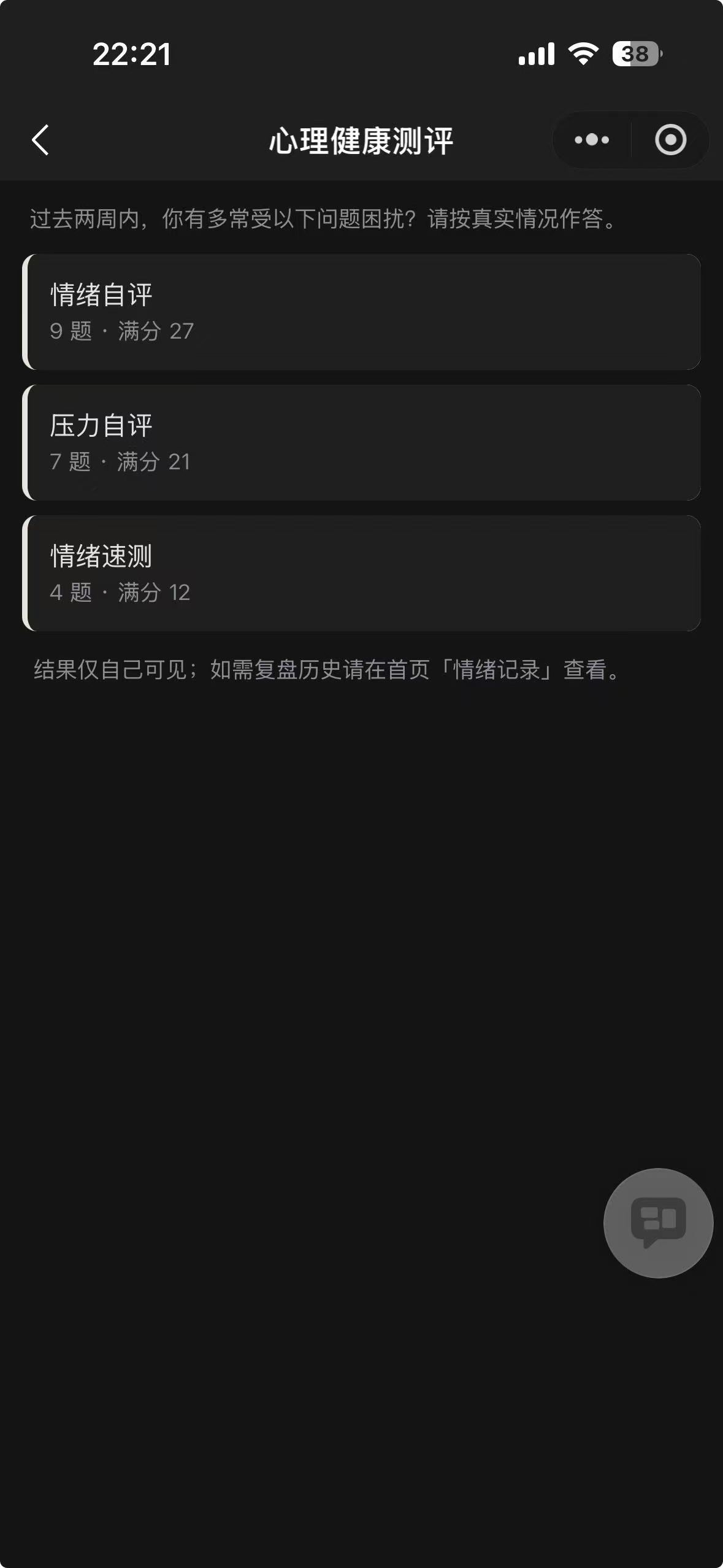
- Pick one self-check: Mood Self-Check (情绪自评), Stress Self-Check (压力自评), or Quick Mood Check (情绪速测)
- One question per screen - answer honestly about "the past two weeks" (完全不会 / 好几天 / 一半以上 / 几乎每天: not at all / several days / more than half the days / nearly every day)
- You get the result instantly, e.g. "steady", "slight ups and downs", "elevated stress - consider seeking support"
Where do the questions come from - are they professional?
The three self-checks are adapted from internationally standardized questionnaires: Mood Self-Check (情绪自评) corresponds to PHQ-9, Stress Self-Check (压力自评) to GAD-7, and Quick Mood Check (情绪速测, PHQ-4) is a short combination of both. They are widely used for initial self-assessment of mood and stress; scoring and result bands are computed server-side, independent of your device.
Please read
Results are for self-assessment only and are not a medical diagnosis; if something feels heavy, please seek professional help. If you need someone to talk to, the "Me" tab lists the psychological assistance hotline 12356 (24 hours) - tap to call.
Past results live under "Records → Check-ups" (明细 → 测评).
Accounts, transfers, and balance adjustments
"Me" (我的) → "Accounts & Transfers" (账户与转账):
- Balances: tap "Add account", then enter a name and currency. The currency can't be changed later
- Transfers: moving money between your own accounts - not counted as income or spending; cross-currency transfers also need the received amount
- Balance adjustments: for reconciliation fixes or initial balances; negative amounts allowed, also not counted in income/spending
Lending and borrowing
Say "借出100" ("lent out 100") in the home input box to log lending, borrowing, or repayment; see balances under "Me" → "Lending" (借贷记录).
FAQ
Switching phones or WeChat accounts - is my history still there? Yes. Two cases:
- New phone, same WeChat: just sign in - everything is there
- New WeChat account: open the mini program (you'll be signed in as a brand-new empty account) → tap "Go Bind" (去绑定) → enter your originally bound phone number and request an SMS code → when told "该手机号已绑定其他微信" ("this phone number is already bound to another WeChat"), tap "Continue takeover" (继续接管). All data from the original account is restored on the new WeChat. The old WeChat only ever sees a brand-new empty account afterwards - none of your data; other devices (web, etc.) must sign in again
Security boundary: only whoever can receive that phone number's SMS code can take over - the same trust level as web sign-in.
It logged the wrong thing - now what? Tap "Change category" (改类目) on the card right after logging; for older records, say "删掉××" ("delete ××") and log it again. Life learns from your corrections and gets more accurate over time.
Logged something by mistake? Tap "Undo" right away; for older entries, say "删掉××" ("delete ××") and confirm each one.
How does the mini program relate to the web version? Same account, same data. The mini program is for quick logging; the web version adds charts, chat mode, and more (copy the link from the "Me" tab).
How can friends open it? The home, records, check-up, and assets pages can be shared to WeChat friends or Moments; they sign in and start using it (opening from Moments shows a read-only preview).
Learn more
Curious about the ideas behind Life - why the design is restrained, how privacy is protected, and how AI avoids inventing numbers? See About Life (CCL.AI记账).