CCLEE Toolkit — SEO
Admin path: CCLEE Toolkit → SEO
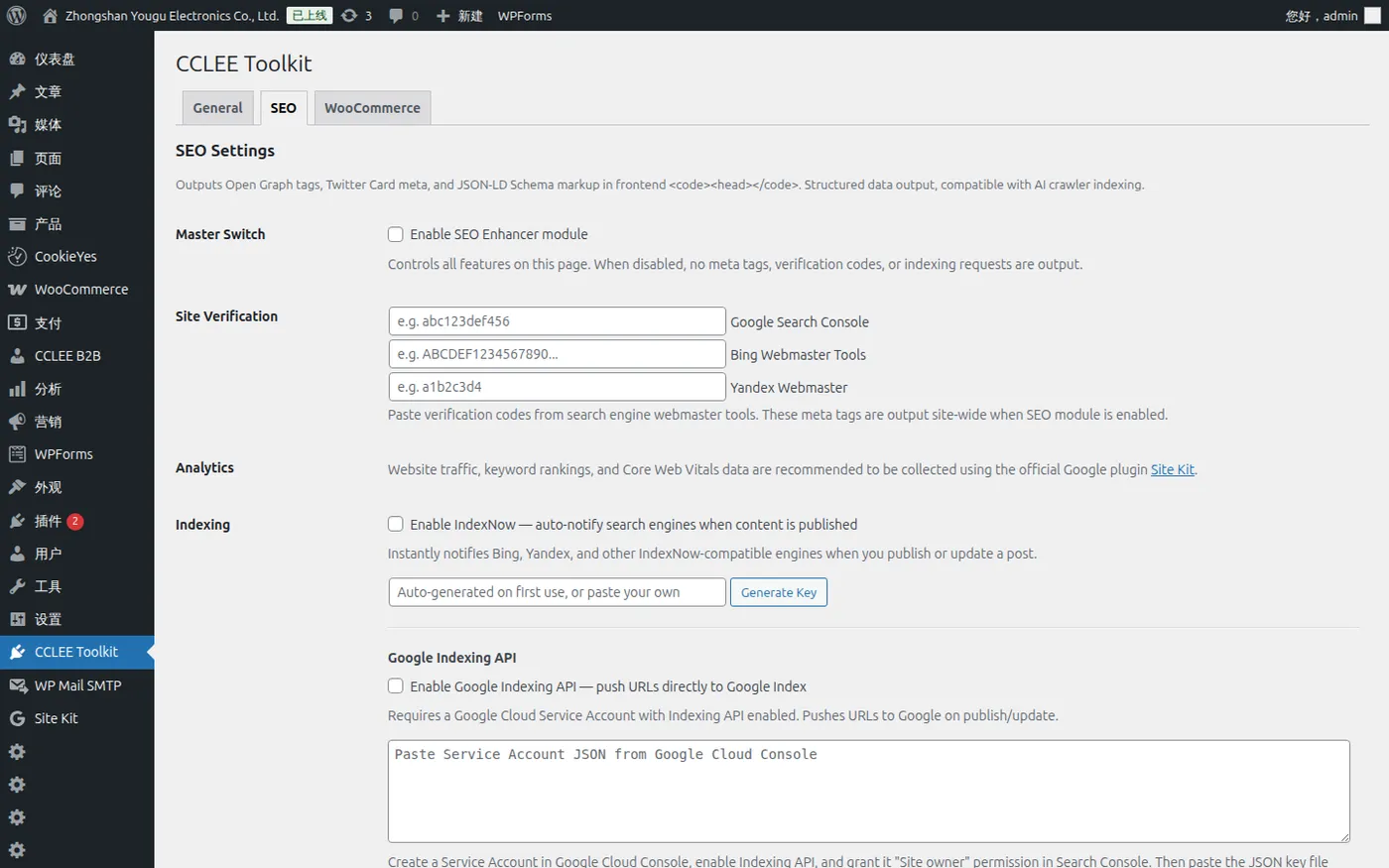
Enabled by Default
SEO Enhancer module is enabled by default and takes effect automatically after plugin activation.
SEO Master Switch
Enable SEO Enhancer Module controls all SEO Tab features.
When disabled, no meta tags, verification codes, or Indexing requests will be output.
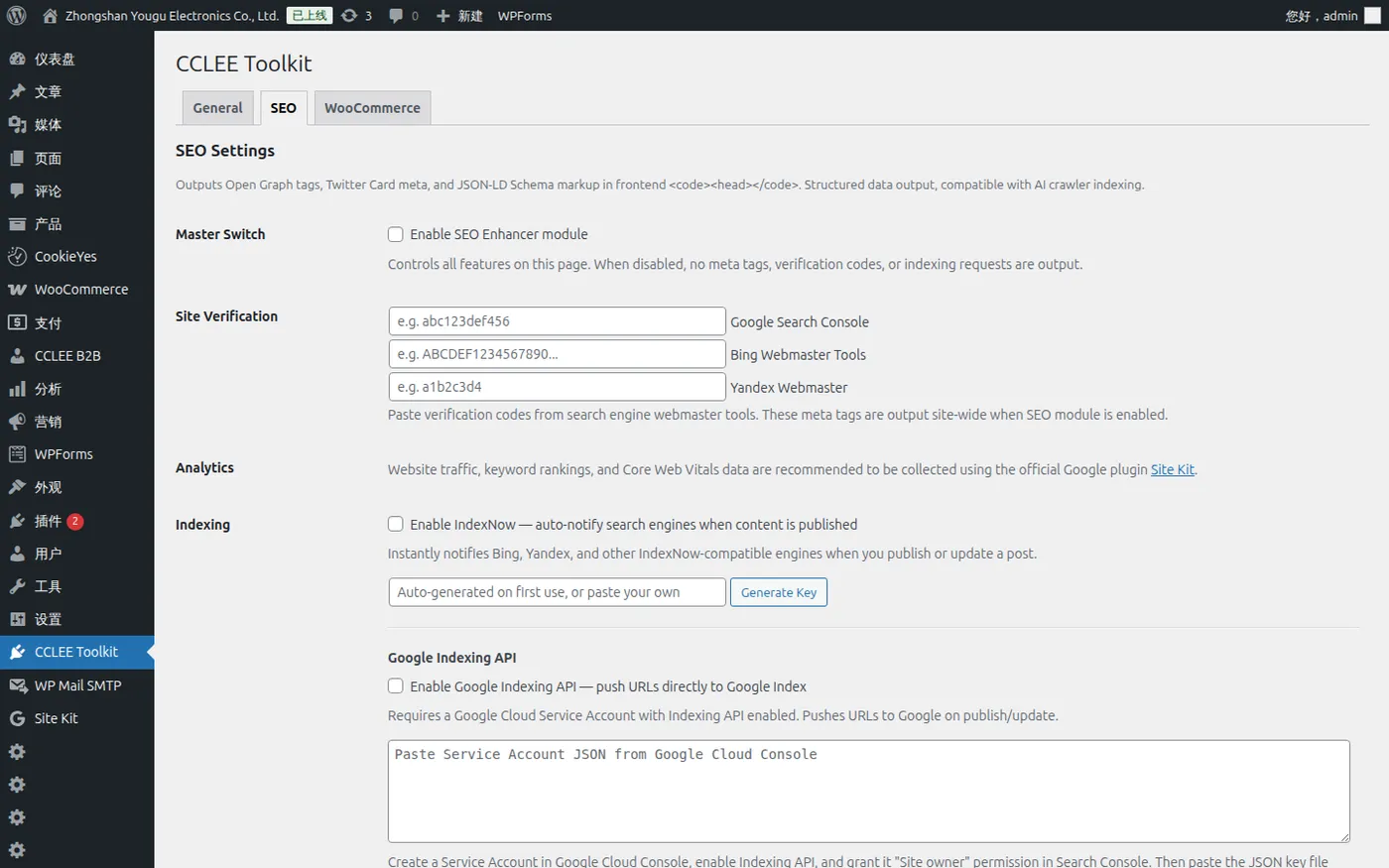
Site Verification
After verifying your domain in the respective search engine webmaster tools, paste the verification code.
| Search Engine | Input | Output Tag |
|---|---|---|
| Google Search Console | Verification code | <meta name="google-site-verification"> |
| Bing Webmaster Tools | Verification code | <meta name="msvalidate.01"> |
| Yandex Webmaster | Verification code | <meta name="yandex-verification"> |
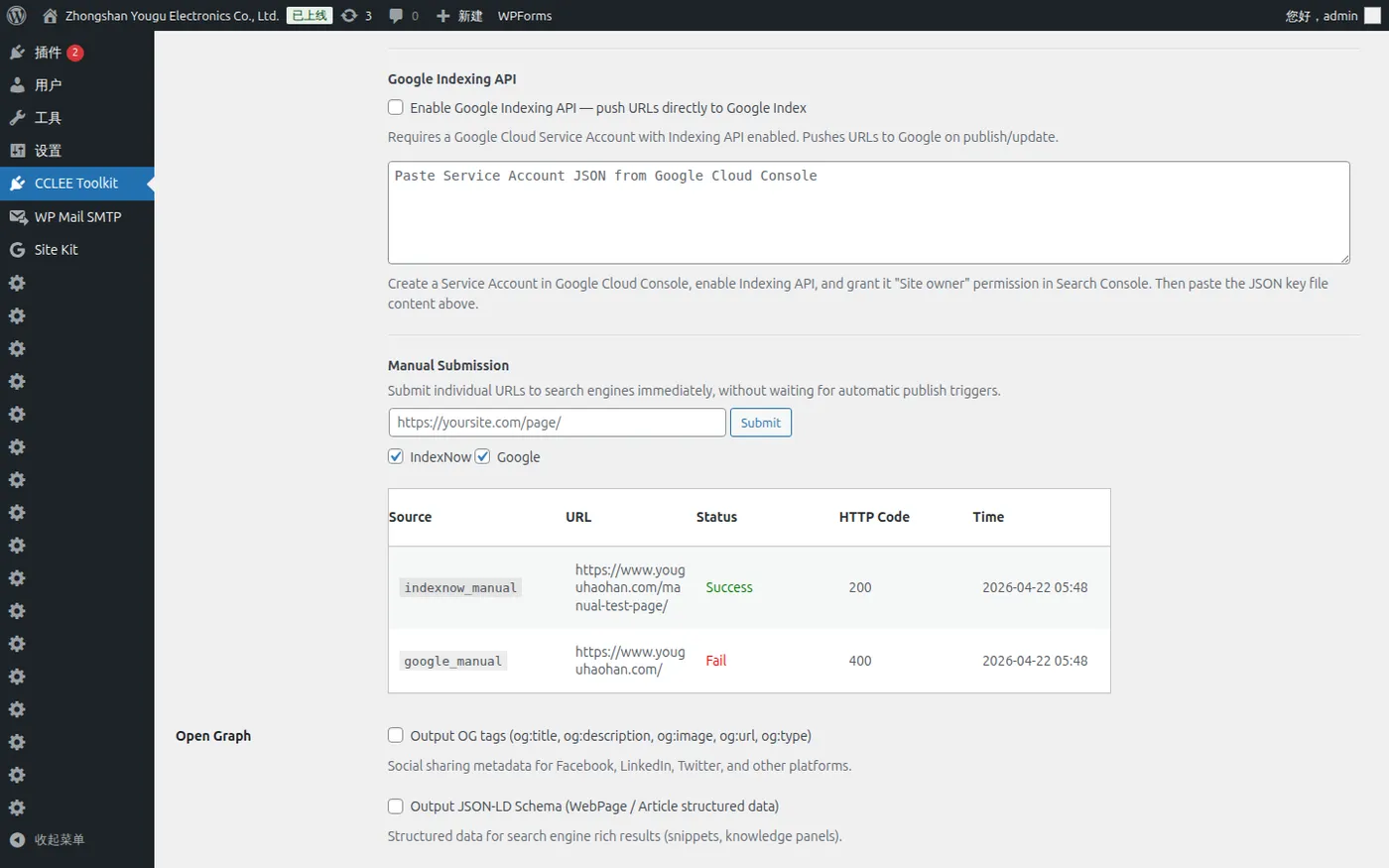
Indexing — Auto-notify Search Engines
Configure IndexNow
When enabled, automatically sends notifications to IndexNow-compatible search engines (Bing, Yandex, etc.) when posts are published or updated.
Configure IndexNow
Check Enable IndexNow, click Generate Key to generate an API Key (Key file auto-hosted at /{key}.txt), and save settings.
Automatically notifies Bing, Yandex, and other IndexNow-compatible search engines when posts are published/updated.
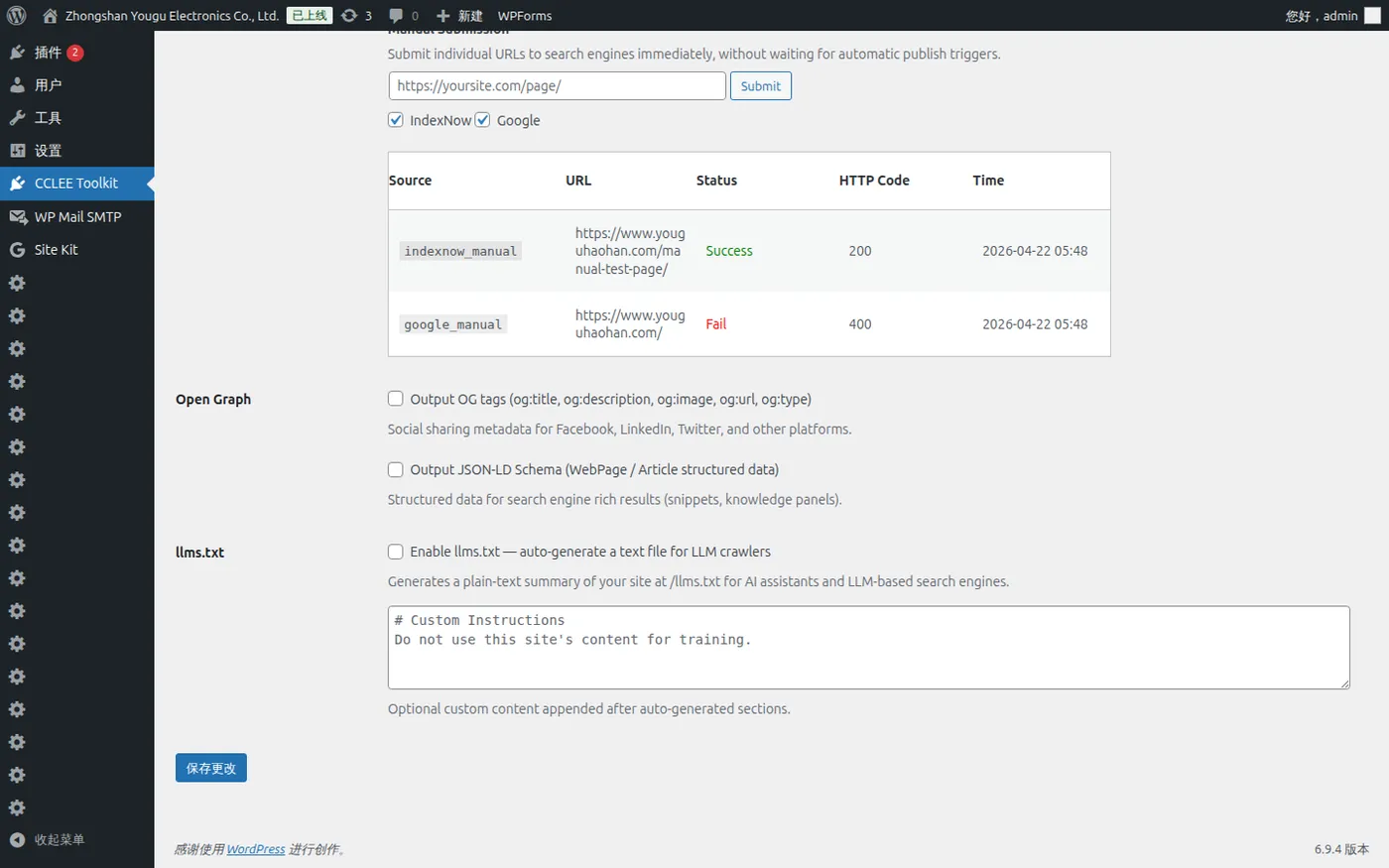
Google Indexing API
Directly pushes URLs to Google index, suitable for sites requiring rapid Google indexing updates.
- Create a Service Account in Google Cloud Console and enable Indexing API
- Grant the Service Account "Site owner" permission in Google Search Console
- Check Enable Google Indexing API and paste the Service Account JSON
- Save settings
Permission Required
The Service Account must be granted Site owner permission in Google Search Console, otherwise submission will fail.
Automatic behavior:
- Publish/update post → Submit
URL_UPDATED - Delete post → Submit
URL_DELETED - Access Token obtained via JWT signature, cached for 50 minutes (no third-party library dependency)
Manual Submission — Submit a Single URL Manually
No configuration required, always available when SEO module is enabled.
- Enter complete URL
- Check submission channels: IndexNow and/or Google
- Click Submit
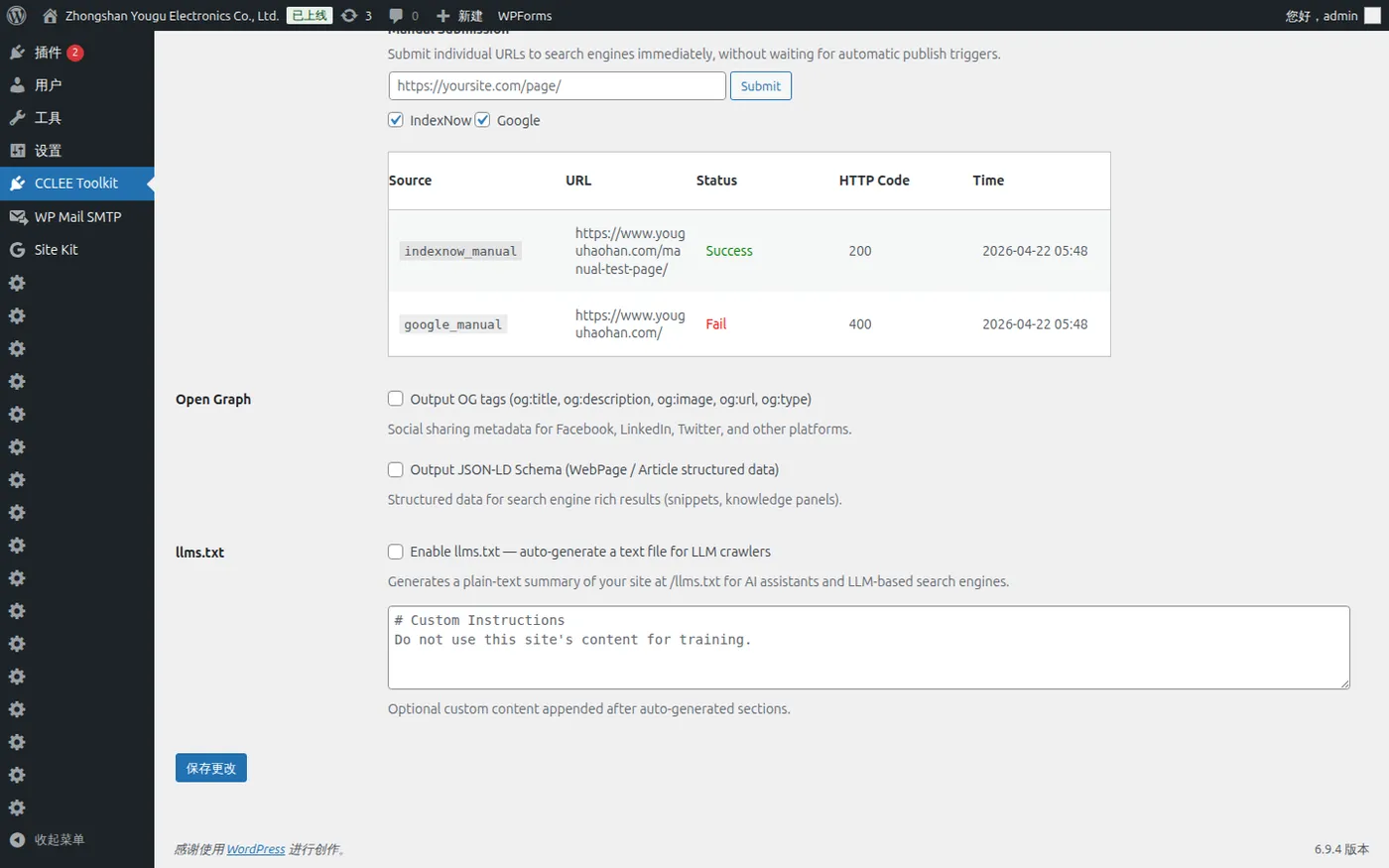
Submission Log
IndexNow and Google Indexing API submission records are displayed in the table at the bottom of the SEO Tab:
| Column | Description |
|---|---|
| Source | indexnow / google |
| URL | Submitted page URL |
| Status | Success / Fail |
| HTTP Code | Response code |
| Time | Submission time |
Open Graph + JSON-LD
Open Graph Tags
When checked, all frontend pages output:
og:title,og:description,og:url,og:type,og:site_nameog:image(when featured image exists)- Twitter Card:
twitter:card,twitter:title,twitter:description
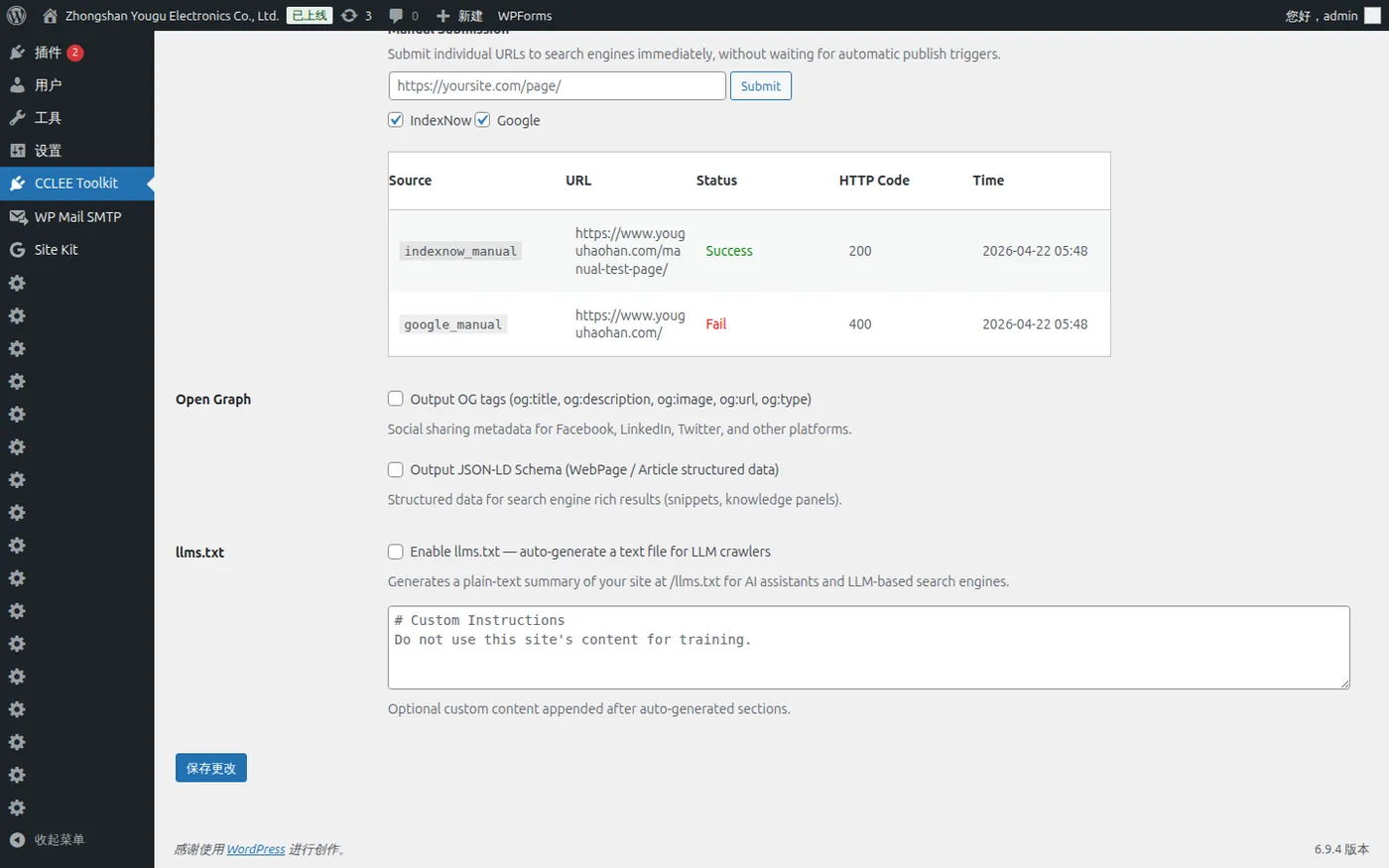
JSON-LD Schema
When checked, outputs structured data:
- Single posts/pages:
ArticleSchema - Homepage:
WebPageSchema
llms.txt — LLM Crawler Text File
When enabled, generates a plain text site summary for AI assistants and LLM search engines.
Access URL: /llms.txt
Content includes:
- Site name and description
- Core Pages (main page list)
- Product list (if WooCommerce exists)
- Sitemap link
- Custom additional content (optional)
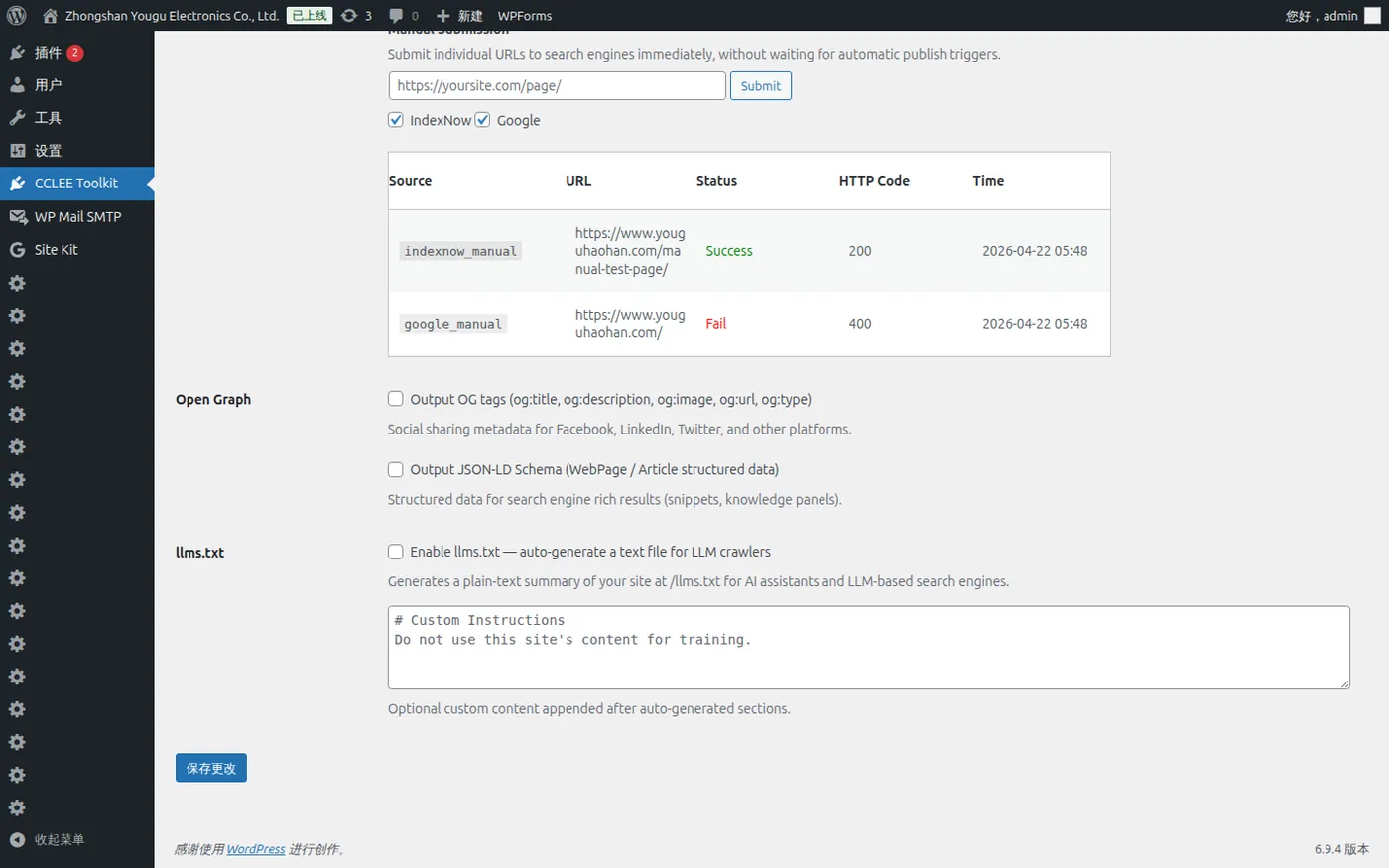
1. Check Enable llms.txt
Check Enable llms.txt — auto-generate a text file for LLM crawlers in the SEO Tab.
2. Add Custom Content (Optional)
Add content (such as copyright notice) in the Custom extra content field, appended after auto-generated content.
3. Save and Verify
After saving, visit /llms.txt to check the output content.
Verify SEO Output
1. View Page Source
Visit any frontend page, right-click → View Page Source.
2. Search for Tags
Search for corresponding tags to verify output:
# OG tags
og:title

# Twitter Card
twitter:card

# JSON-LD
application/ld+json

# Site verification
google-site-verification
FAQ
SEO tags not outputting?
Confirm SEO Enhancer option is enabled (enabled by default). If using a caching plugin, clear cache and retry.
IndexNow key file 404?
Key file is hosted by WordPress virtually. Ensure permalinks are saved (Settings → Permalinks → Save).
Google Indexing API submission failed?
Check three points: Is Service Account JSON valid, is Site owner permission granted in Search Console, is Indexing API enabled in Cloud Console.
llms.txt returns 404?
Confirm llms.txt option is enabled, and save permalink settings once.