CCLEE B2B — Pricing Settings
Admin path: CCLEE B2B → Pricing
Global Discount Rate
Set a default wholesale discount percentage for all products.
Configuration Steps
- Go to CCLEE B2B → Pricing
- Set Verified Enterprise Discount (%) — Discount for Verified enterprise users
- Set Pending Enterprise Discount (%) — Discount for Pending enterprise users
- Save settings
Discount Priority
Product-level fixed price > Product-level tier price > Global discount rate If a product has fixed price or tier price set, it overrides the global discount.
Product-Level Fixed Prices
Set exclusive B2B prices for individual products.
Configuration Steps
- Go to WP Admin → Products → Edit
- Switch to the B2B Pricing tab
- Fill in Verified Enterprise Price — Price for Verified users
- Fill in Pending Enterprise Price — Price for Pending users
- Update product

Tier Pricing (Volume Discount)
Provide tiered pricing based on purchase quantity to encourage bulk purchasing.
Configuration Steps
- In the product edit B2B Pricing tab
- Add quantity tiers, for example:
| Quantity Range | Unit Price |
|---|---|
| 1-9 | $89.99 |
| 10-49 | $79.99 |
| 50-99 | $69.99 |
| 100+ | $59.99 |
- Save
Frontend Display
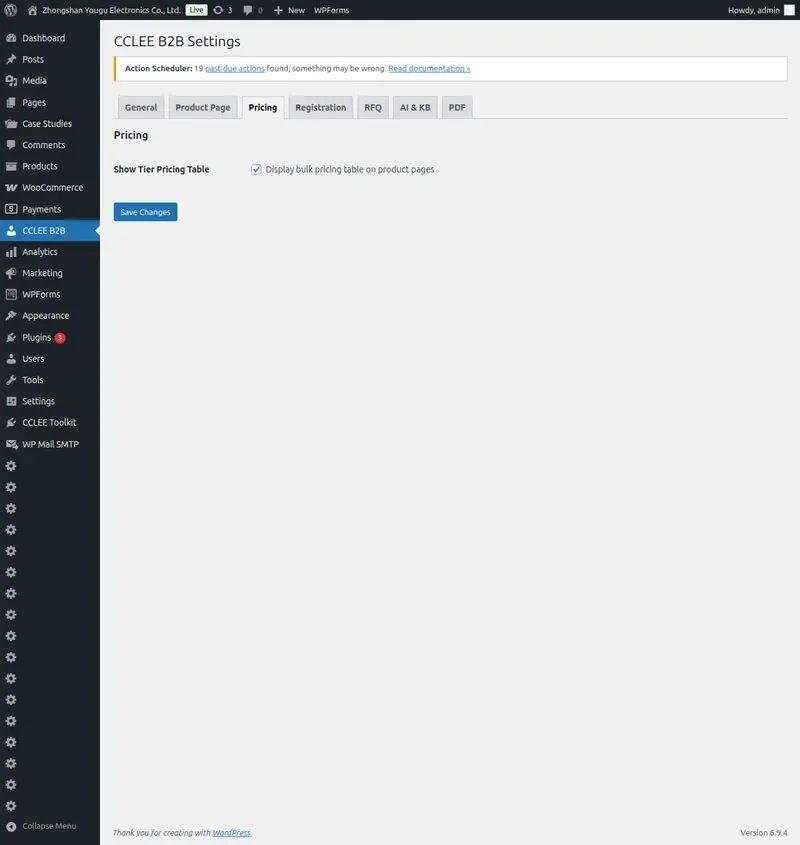
With Show Tier Pricing Table enabled, the product page displays a tier pricing table.

Effect:
- Verified users see a tier pricing table on the product page
- When cart quantity reaches a tier threshold, the tier unit price is automatically applied
- Cart and checkout pages display the actual tier price applied
Internal Product ID (Inventory Tab)
You can also set the internal product ID in the product Inventory tab for B2B procurement reference.

FAQ
Global discount not applying?
- Check if the product has a product-level fixed price set (overrides global discount)
- Confirm user belongs to the correct user group (Verified or Pending)
- Check if the Pricing module is enabled in General settings
Tier pricing not automatically applying?
- Confirm the product has tier pricing data set
- Confirm current user is a Verified enterprise user
- Cart quantity must reach the minimum tier threshold
Pending users can't see price changes?
Pending user discounts are set via global discount rate or product-level Pending Enterprise Price. Tier pricing also applies to Pending users.